
Providing Access to Your Canva Website
Beamtrace may occasionally need temporary access to your Canva website to help optimize your website’s visibility and ensure everything is set up properly.
This guide will show you how to grant us access and remove it when it's no longer required 😊
In this article
Providing Access
To give us access, you need to share your project with us. This is how you can do this:
- 1
-
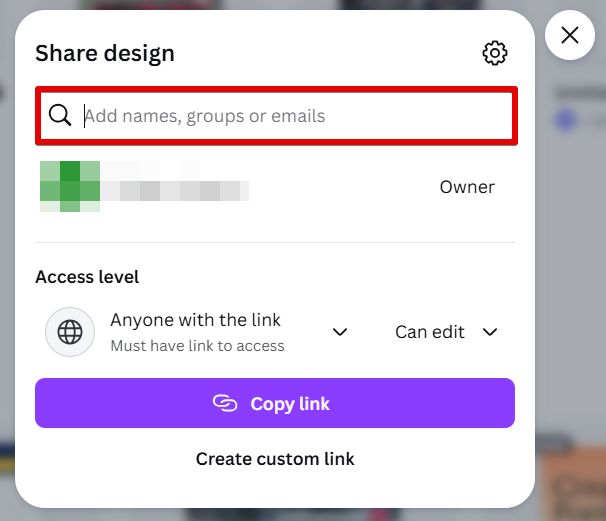
Log in to your Canva account and go to Projects. Choose the website you want to invite us to, click on the action button (...) → Share:

- 2
-
Fill in the following account information and click Share:
- Email: [email protected]
- Permissions: Edit
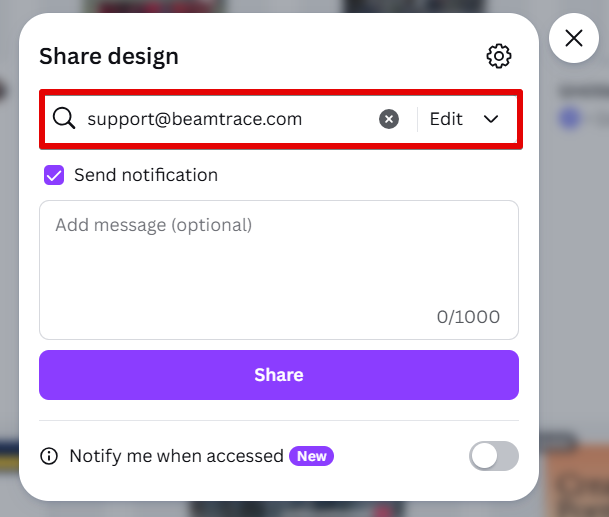
That's it. We will get a notification that we can now access your Canva website.
Alternatively, you can send us a collaborator link if that's more convenient for you. Under Access level, choose:
- Who can access: Anyone with the link
- Permissions: Can Edit
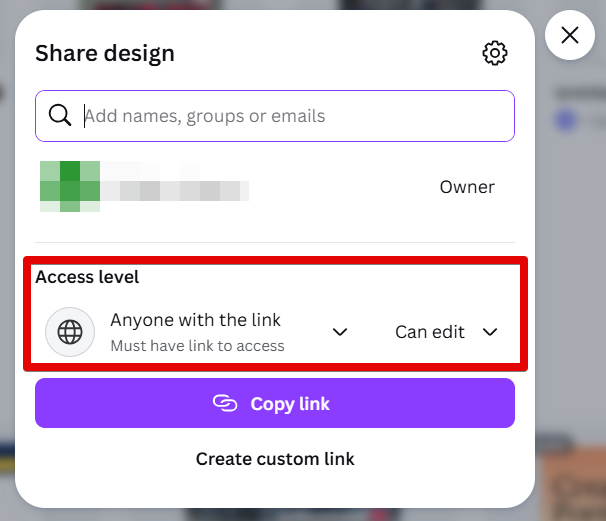
Send this link to [email protected], and our team will take care of the rest!

Removing Beamtrace User
Once our work is complete, feel free to remove Beamtrace user from your contributors. Here is how you can do this:
- 1
-
Log in to your Canva account and go to Projects. Choose the website you shared with us, click on the action button (...) → Share:
- 2
-
Click on Can edit next to Beamtrace user → Remove:
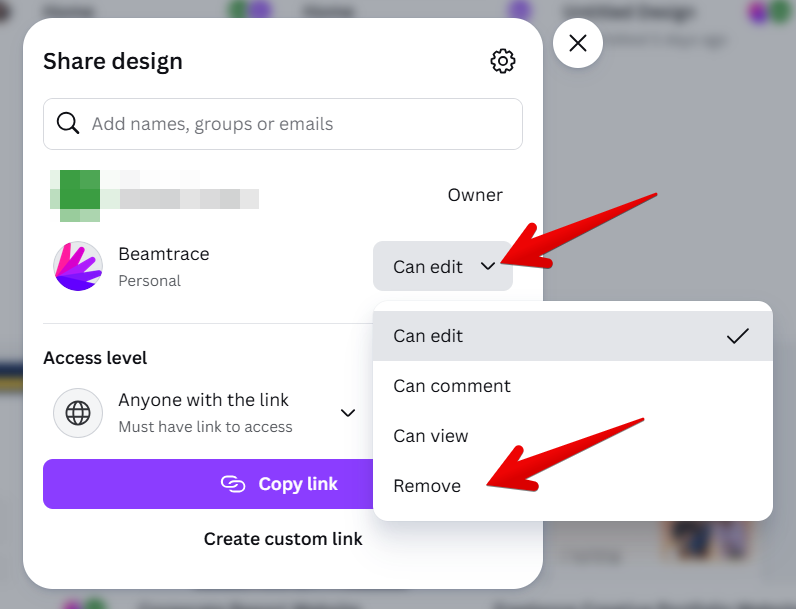
All done! Beamtrace user has been removed.
If you run into any issues or need a hand at any step, feel free to reach out to our support team at [email protected] — we’re always happy to help! 😊