
Providing Access to Your Squarespace Website
Beamtrace may occasionally need temporary access to your Squarespace website to help optimize your website’s visibility and ensure everything is set up properly.
This guide will show you how to grant us access and remove it when it's no longer required.
In this article
Providing Access
To give us access, you'll need to add a new contributor. Here's how you can do it:
- 1
-
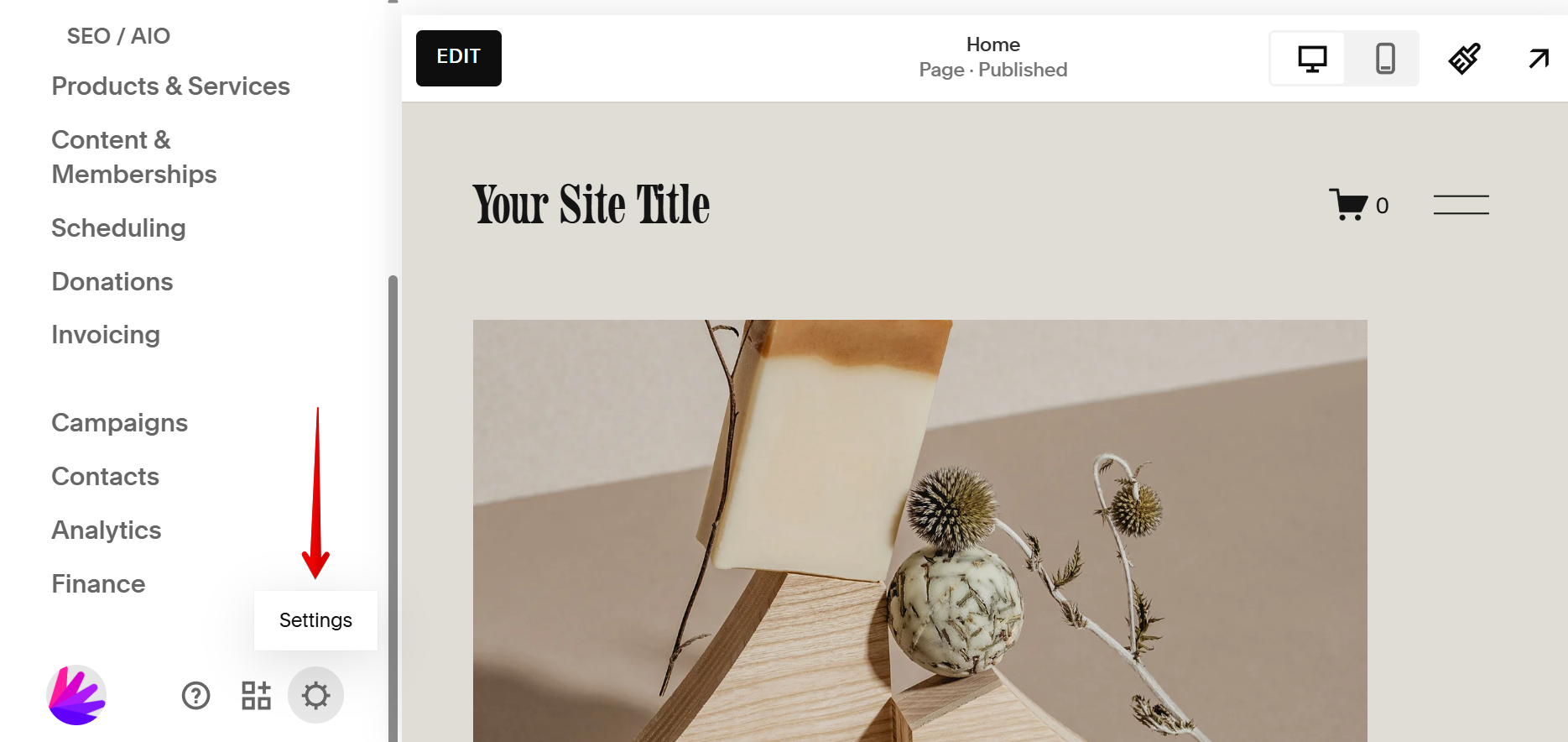
Log in to your Squarespace admin panel and go to Settings by clicking the ⚙️ gear icon:
- 2
-
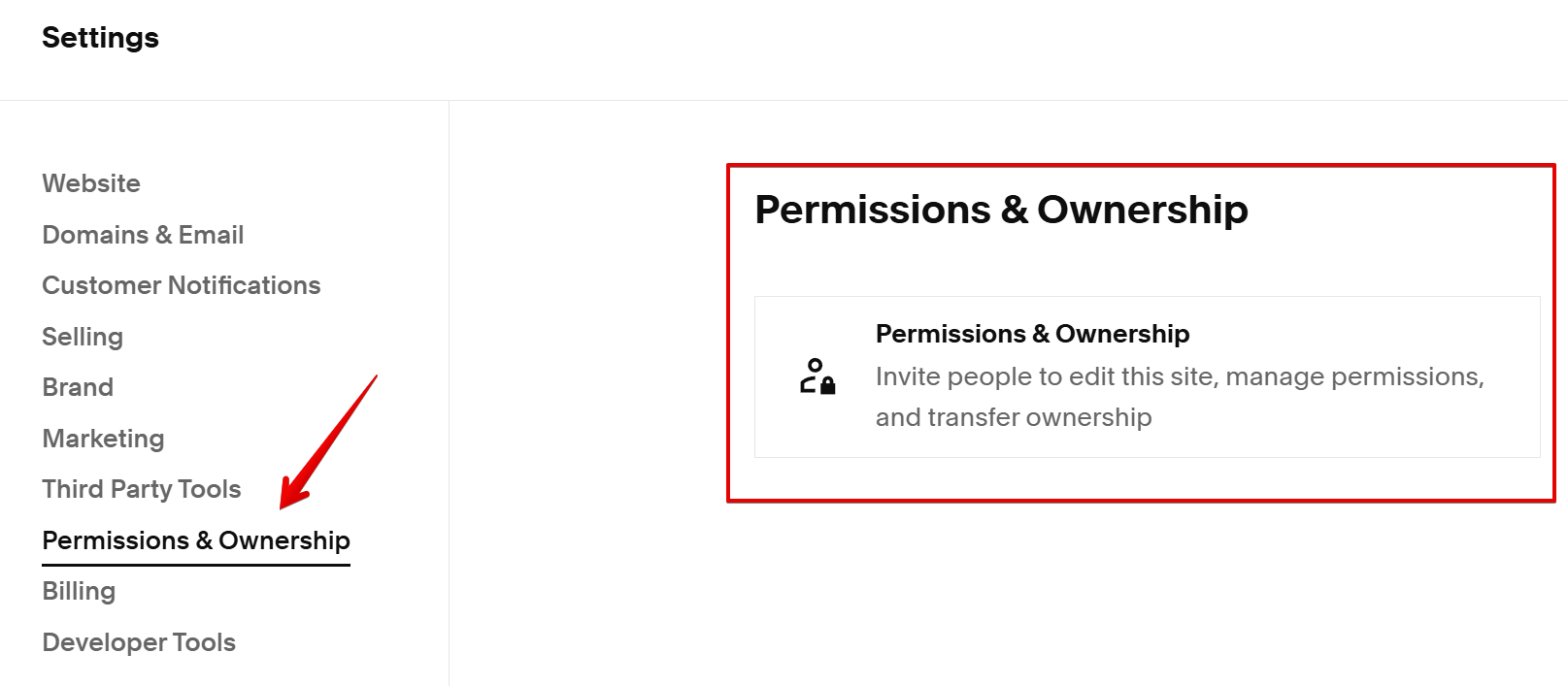
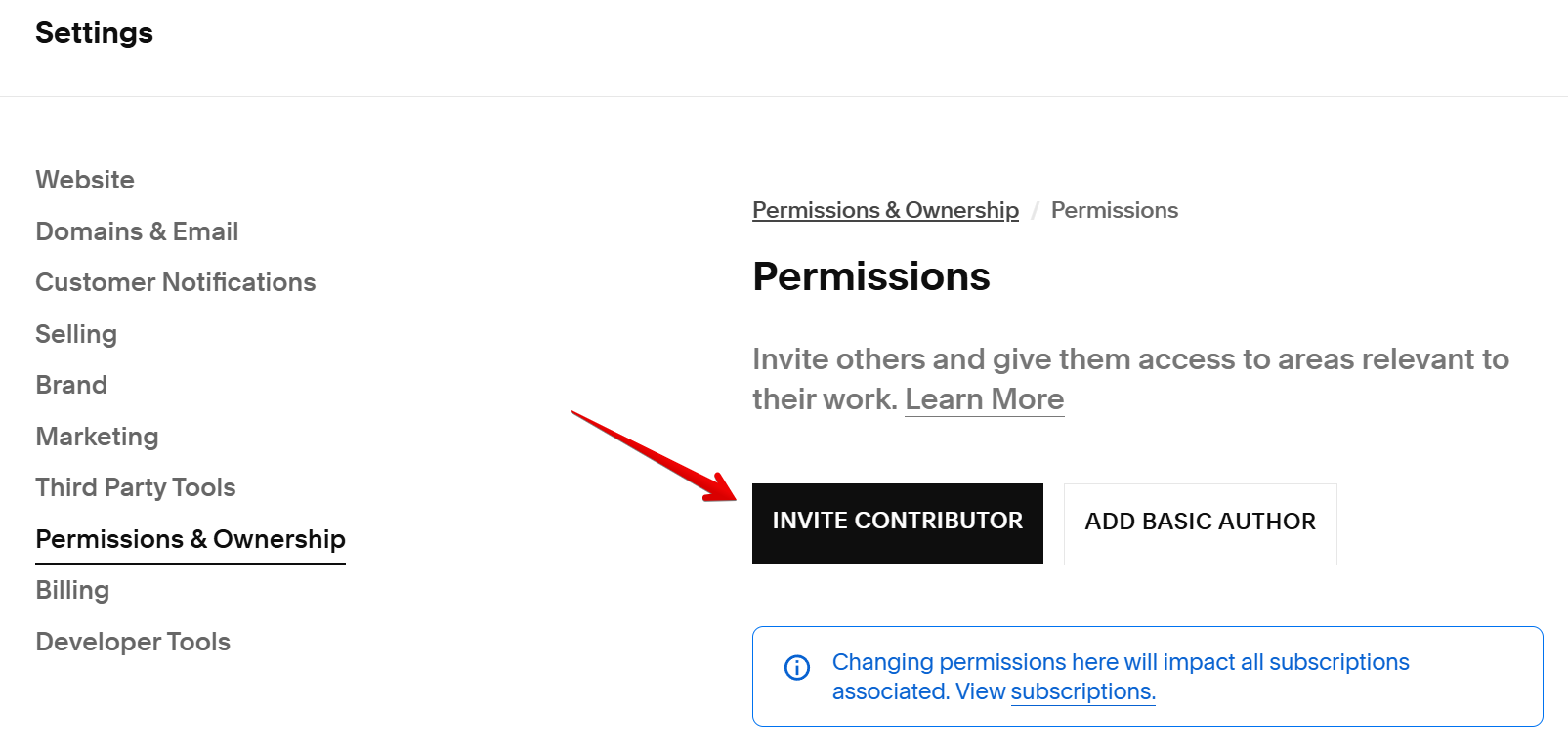
Click Permissions & Ownership → Invite Contributor:
- 3
-
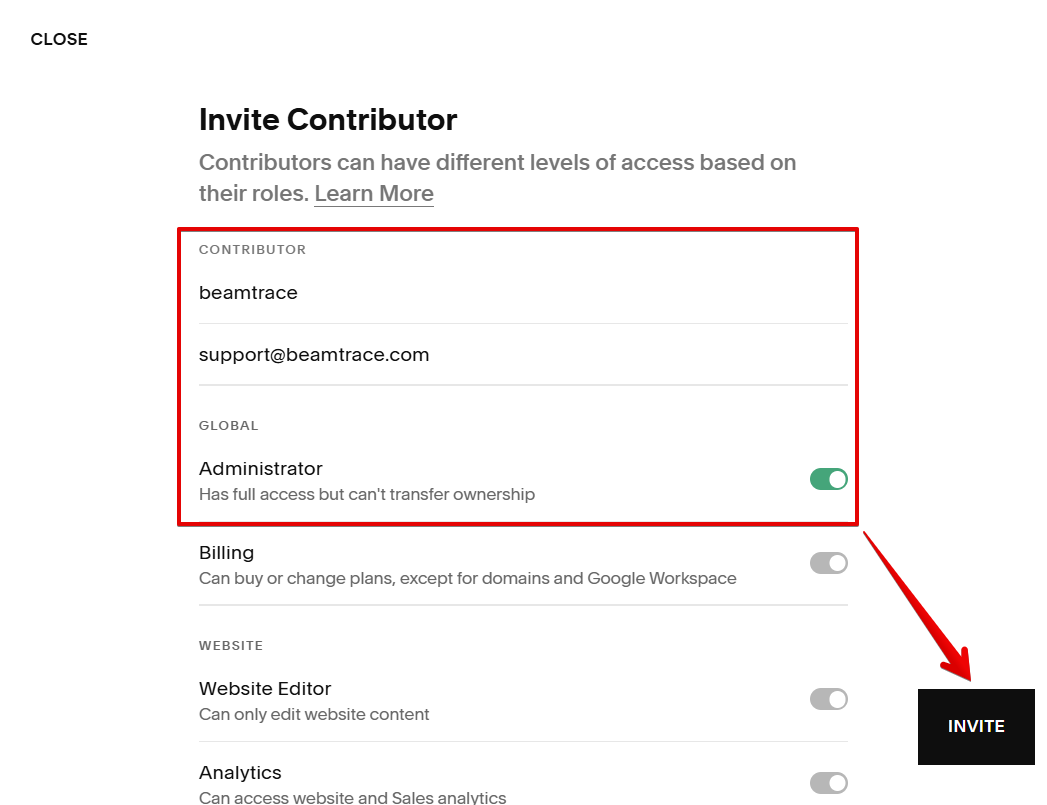
Fill in the following Contributor information and click Invite:
- Name: beamtrace
- Email: [email protected]
- Permissions: Administrator
The invitation has been sent. We will get a notification that we can now access your Squarespace website.
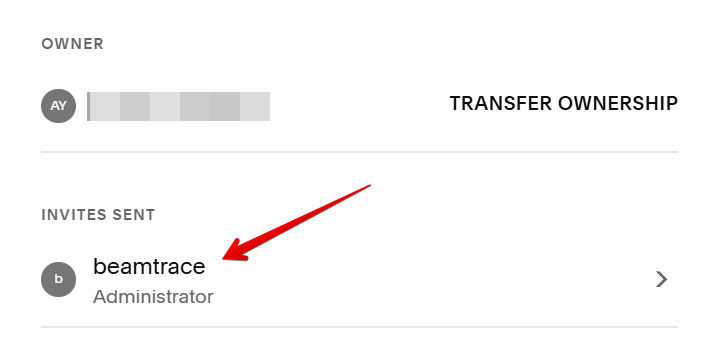
If something went wrong and we didn't receive your invitation, you can send us the invitation link manually. To find it, click on beamtrace under Invites Sent:
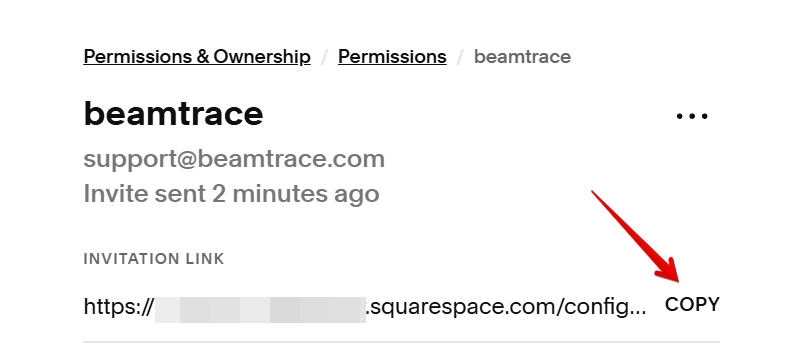
Send this link to [email protected], and our team will take care of the rest!
Removing Beamtrace User
Once our work is complete, feel free to remove Beamtrace from your contributors. Here is how you can do this:
- 1
-
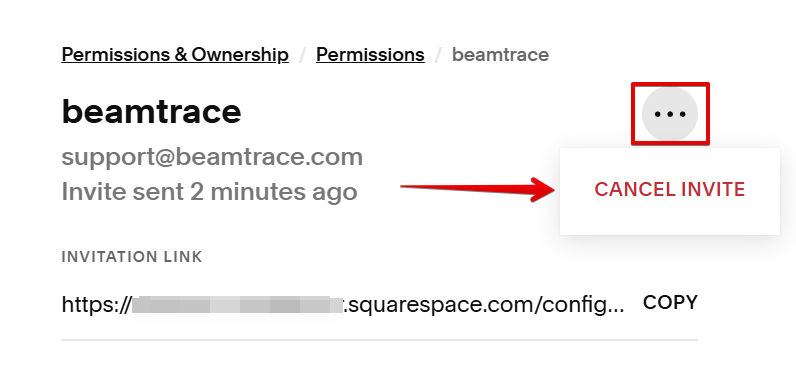
Click on the contributor’s name under Invites Sent, press the action button (...), and choose Cancel Invite:
- 2
-
Click Confirm:
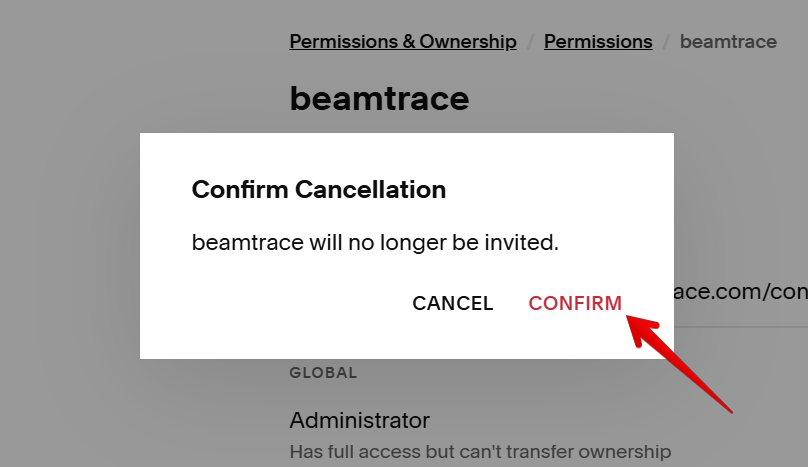 All done! Beamtrace user has been removed.
 All done! Beamtrace user has been removed.
If you run into any issues or need a hand at any step, feel free to reach out to our support team at [email protected] — we’re always happy to help! 😊