
Providing Access to Your Webnode Website
Beamtrace may occasionally request temporary access to your Webnode website. This allows us to optimize your site’s visibility and check that everything is properly set up.
This guide explains how to grant us temporary access and how to remove it once our assistance is no longer needed 🙂
In this article
Providing Access
To grant access, you’ll need to add Beamtrace as a temporary user in your Webnode account. Here’s how:
- 1
-
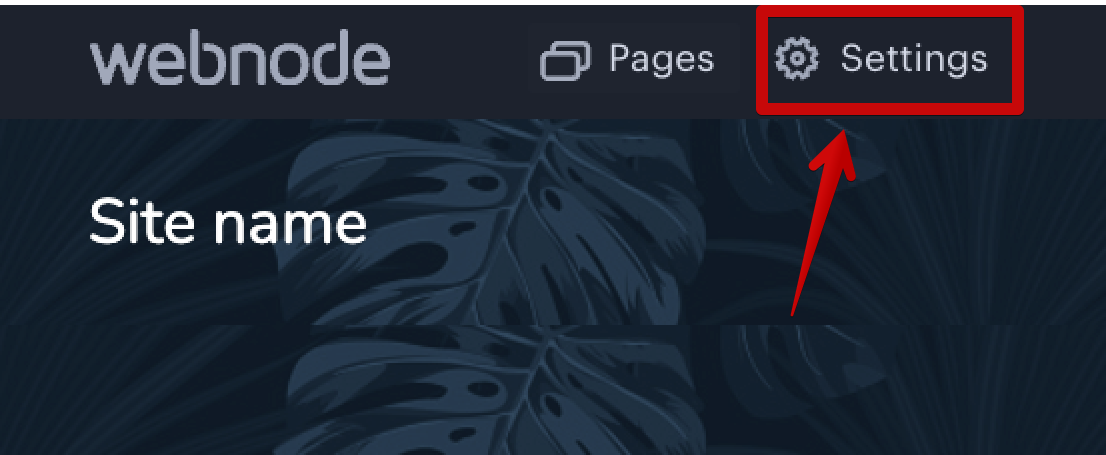
Log in to your Webnode admin panel and go to Settings:
 Select Website Editors and click Invite User: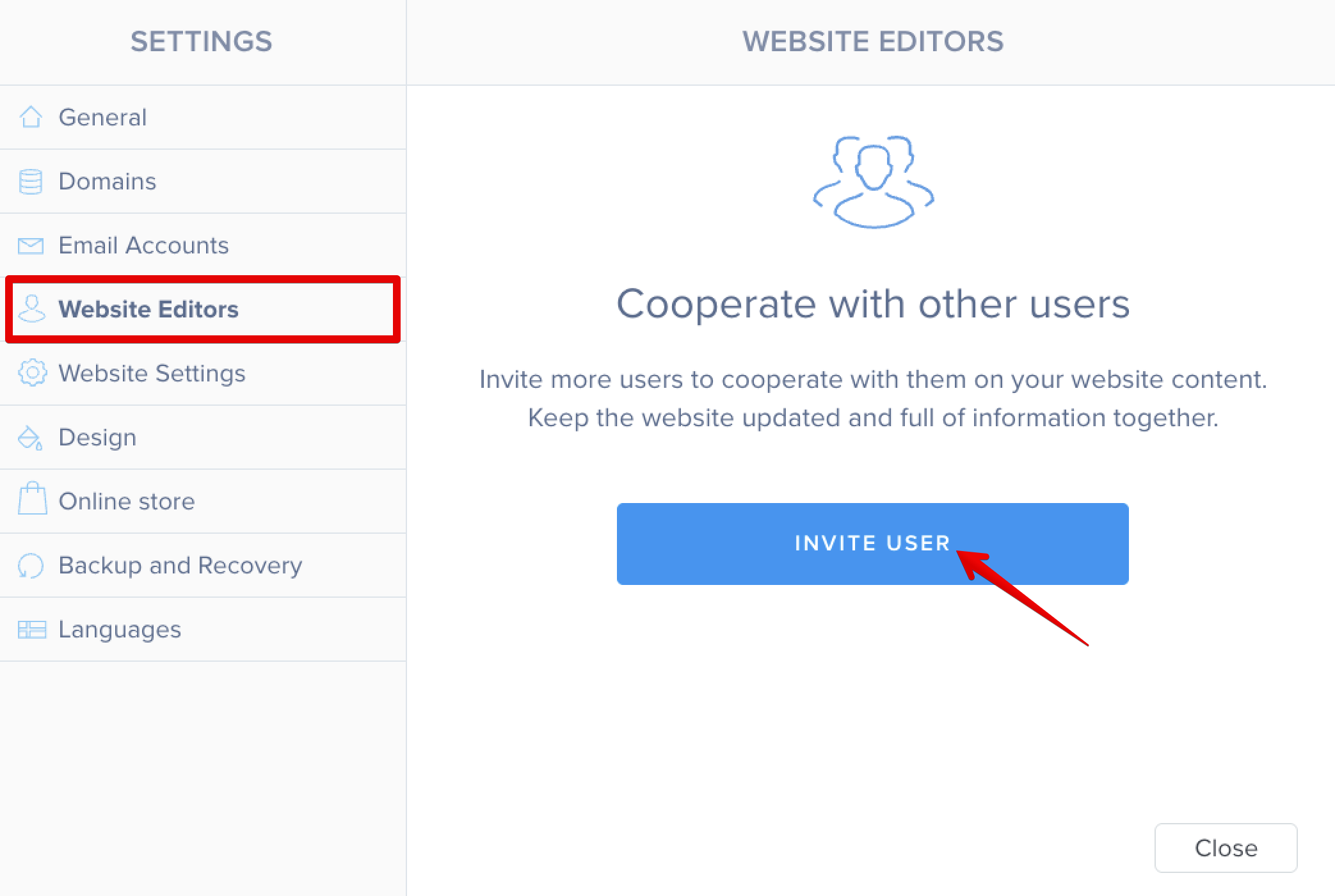
- 2
-
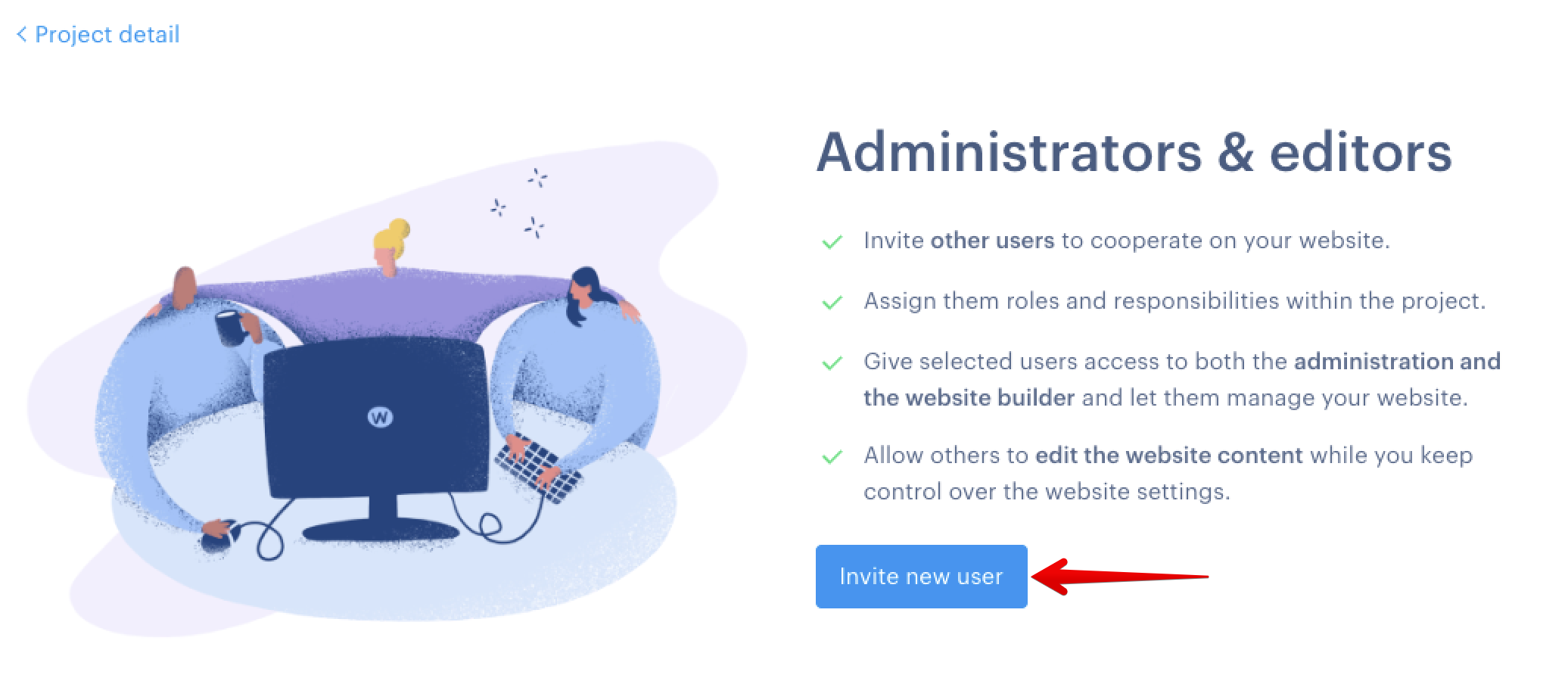
On the next screen, click Invite new user:
- 3
-
Enter the email address [email protected], select the Editor role, and click Invite new user:
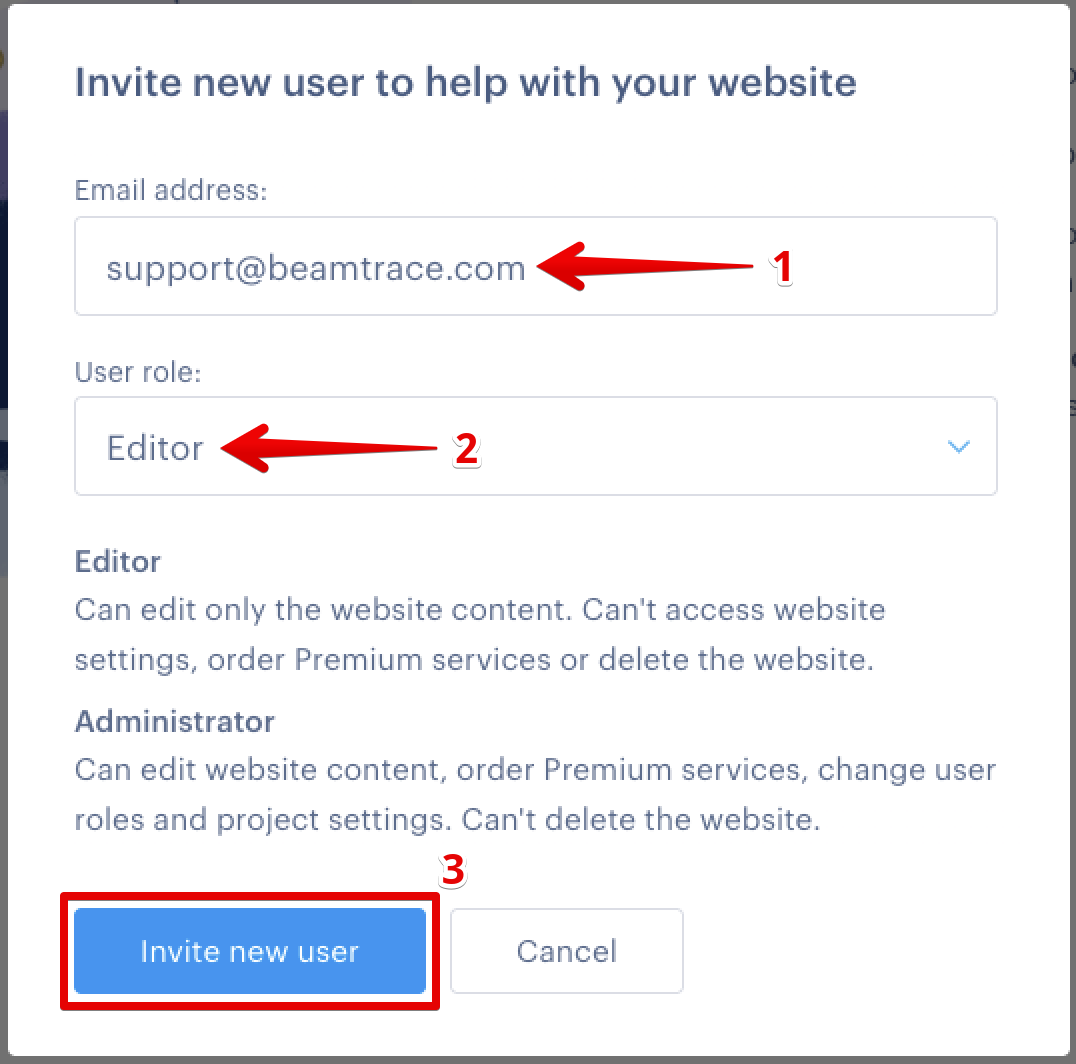
The Beamtrace user has been added to your website.
 Select Website Editors and click Invite User:
Removing Beamtrace User
When you no longer need our assistance, you can easily revoke access by following the steps below:
- 1
-
Log in to your Webnode admin panel and go to Settings: Select Website Editors and click Invite User:
- 2
-
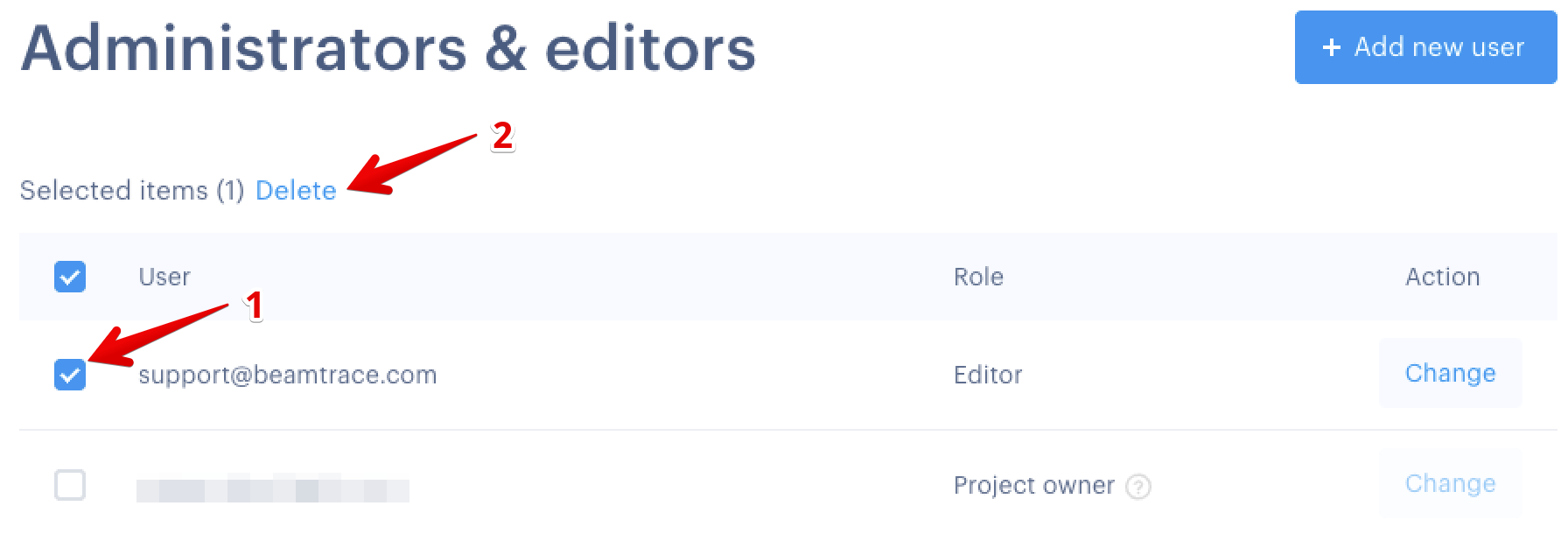
Under Administrators & editors, tick the box next to the Beamtrace user and click Delete:
 Confirm your choice by selecting Delete user in the pop-up window:
Done! The Beamtrace user has been removed.
 Confirm your choice by selecting Delete user in the pop-up window:
If you run into any issues or need a hand at any step, feel free to reach out to our support team at [email protected] — we’re always happy to help! 😊