
Providing Access to Your Wix Website
Beamtrace may occasionally need temporary access to your Wix website to help optimize your website’s visibility and ensure everything is set up properly.
In this article
Providing Access
To give us access, you'll need to add a new temporary user. This is how you can do it:
- 1
-
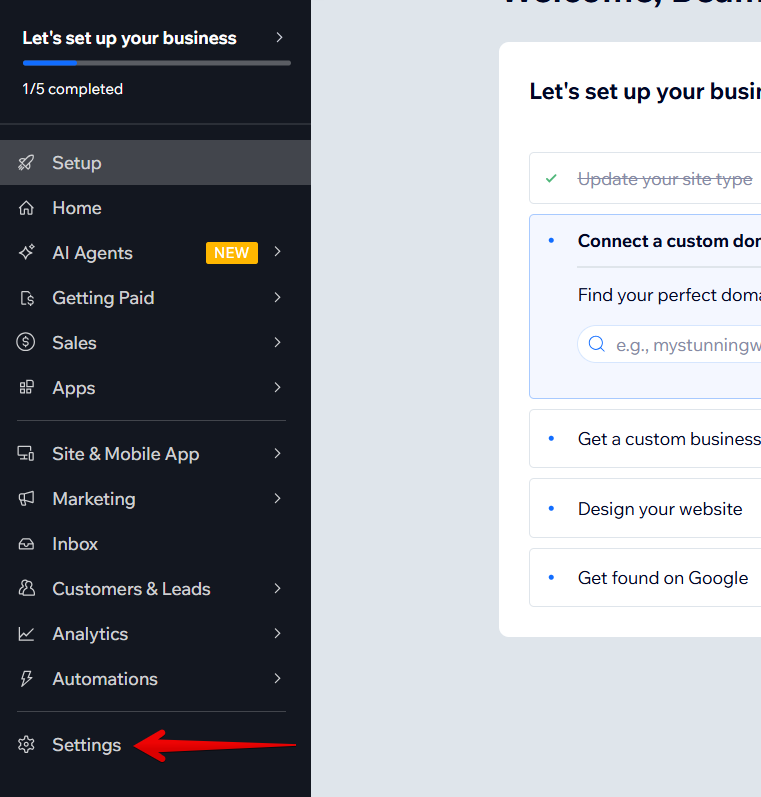
Log in to your Wix website's backend and go to Settings:
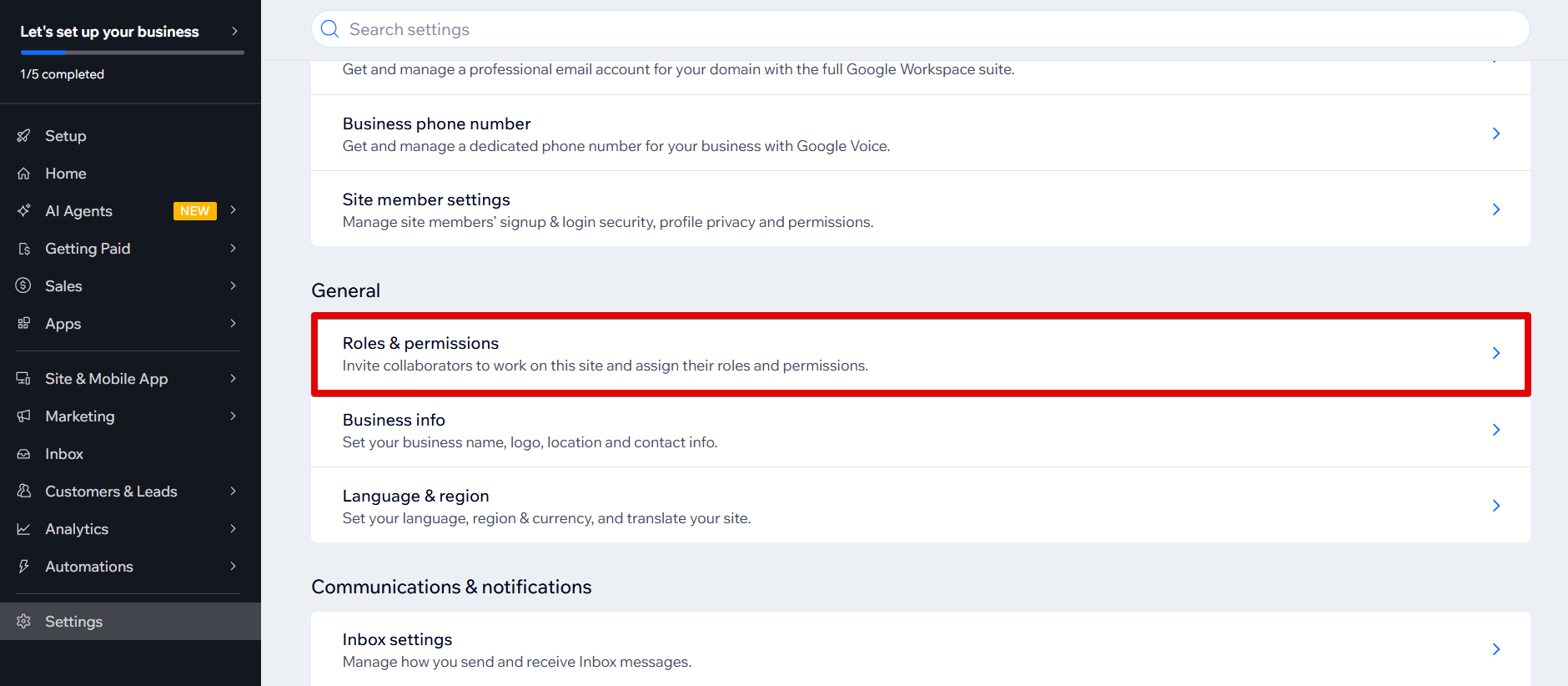
Find Roles and Permissions in the General section and click on it:
- 2
-
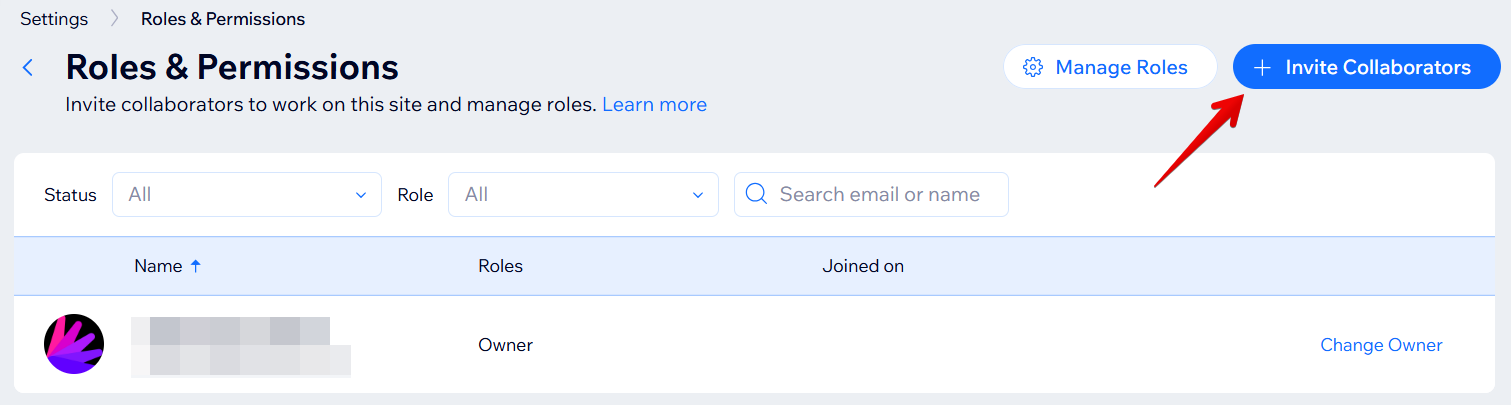
On the next screen, click Invite Collaborators:
- 3
-
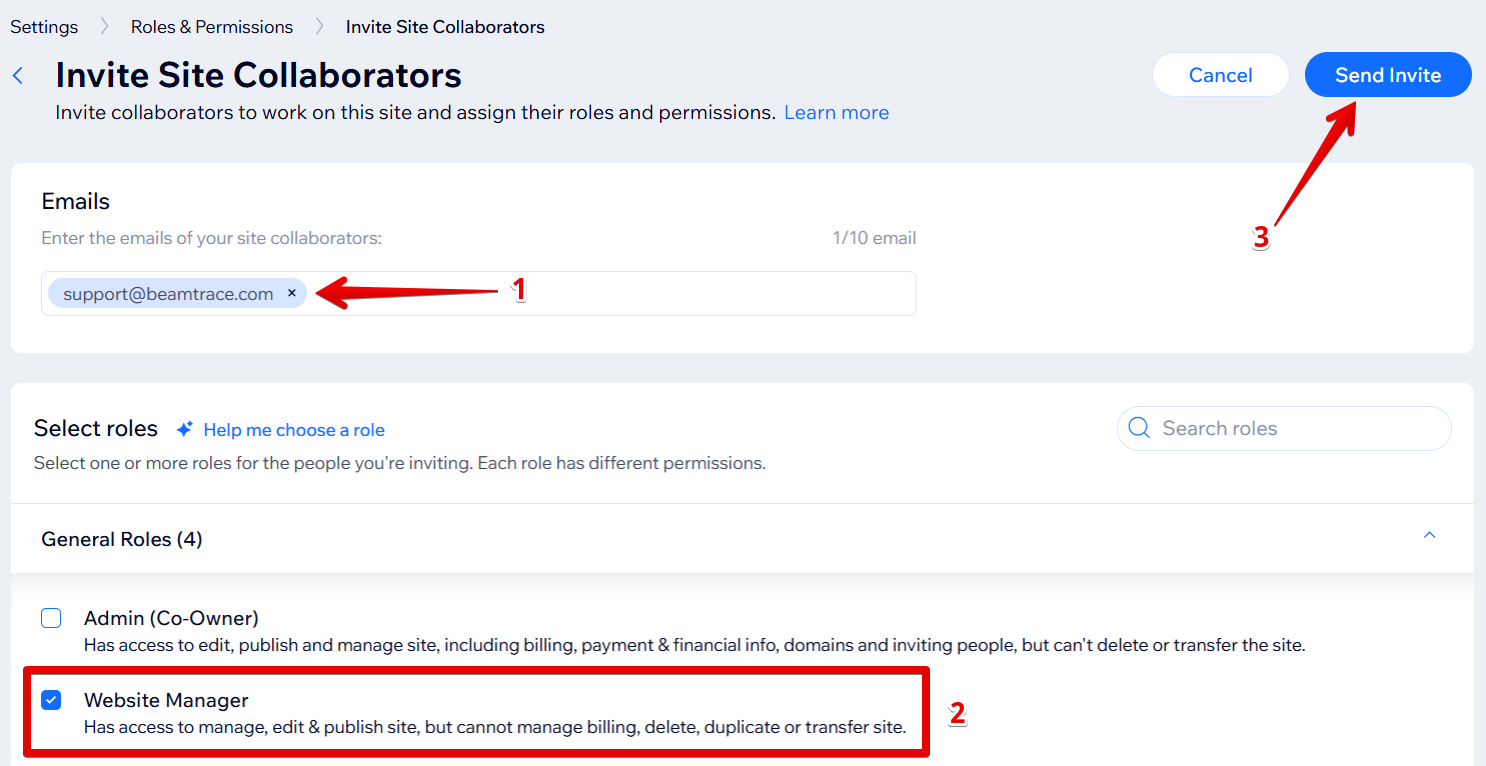
Add [email protected] email address, choose the Website Manager role, and click Send Invite:
The Beamtrace user has been added.
Removing Beamtrace User
Once our work is complete, feel free to revoke our access. Here is how you can do this:
- 1
-
Log in to your Wix website's backend and go to Settings:
Find Roles and Permissions in the General section and click on it:
- 2
-
Find the Beamtrace user, click the action menu (...), and choose Remove collaborator:
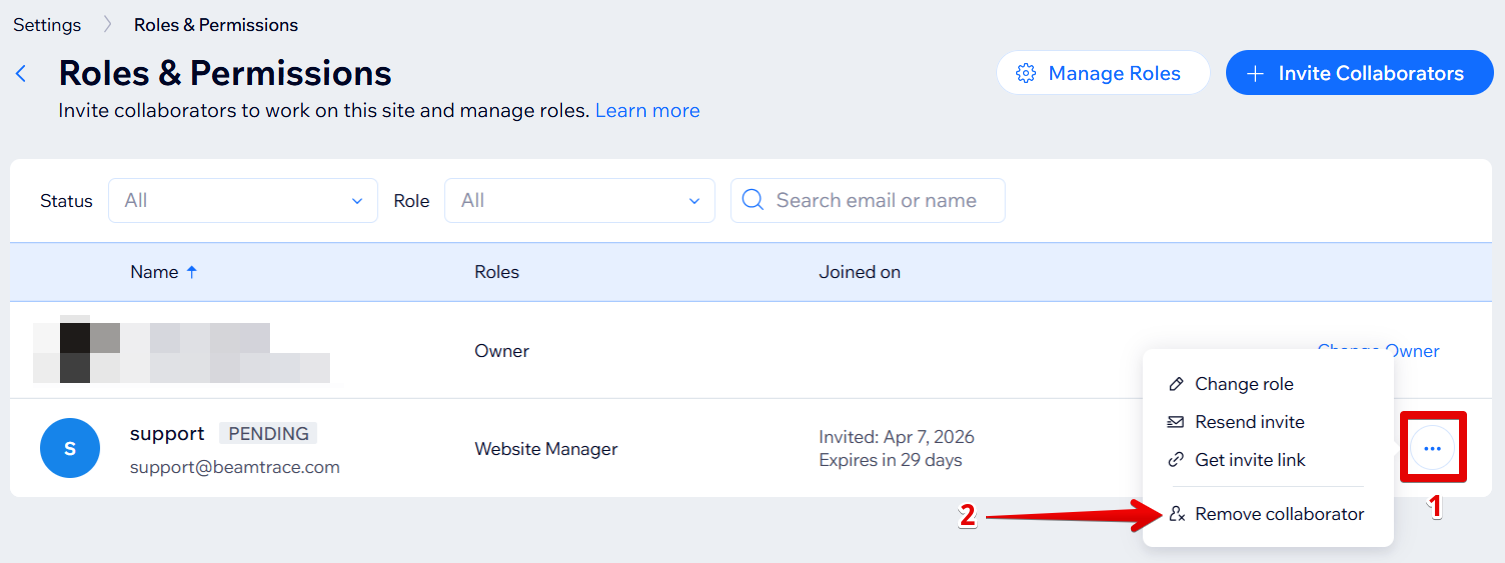
The Beamtrace user has been removed.
If you run into any issues or need a hand at any step, feel free to reach out to our support team at [email protected] — we’re always happy to help! 😊