
Providing Access to Your WordPress Website
Beamtrace may request temporary access to your WordPress website to assist you with your inquiry. In this article, we'll provide you with a step-by-step guide on granting us access and removing it when it's no longer required.
In this article
Providing Access
To give us access, you'll need to add a new user. Here’s how to do it:
- 1
-
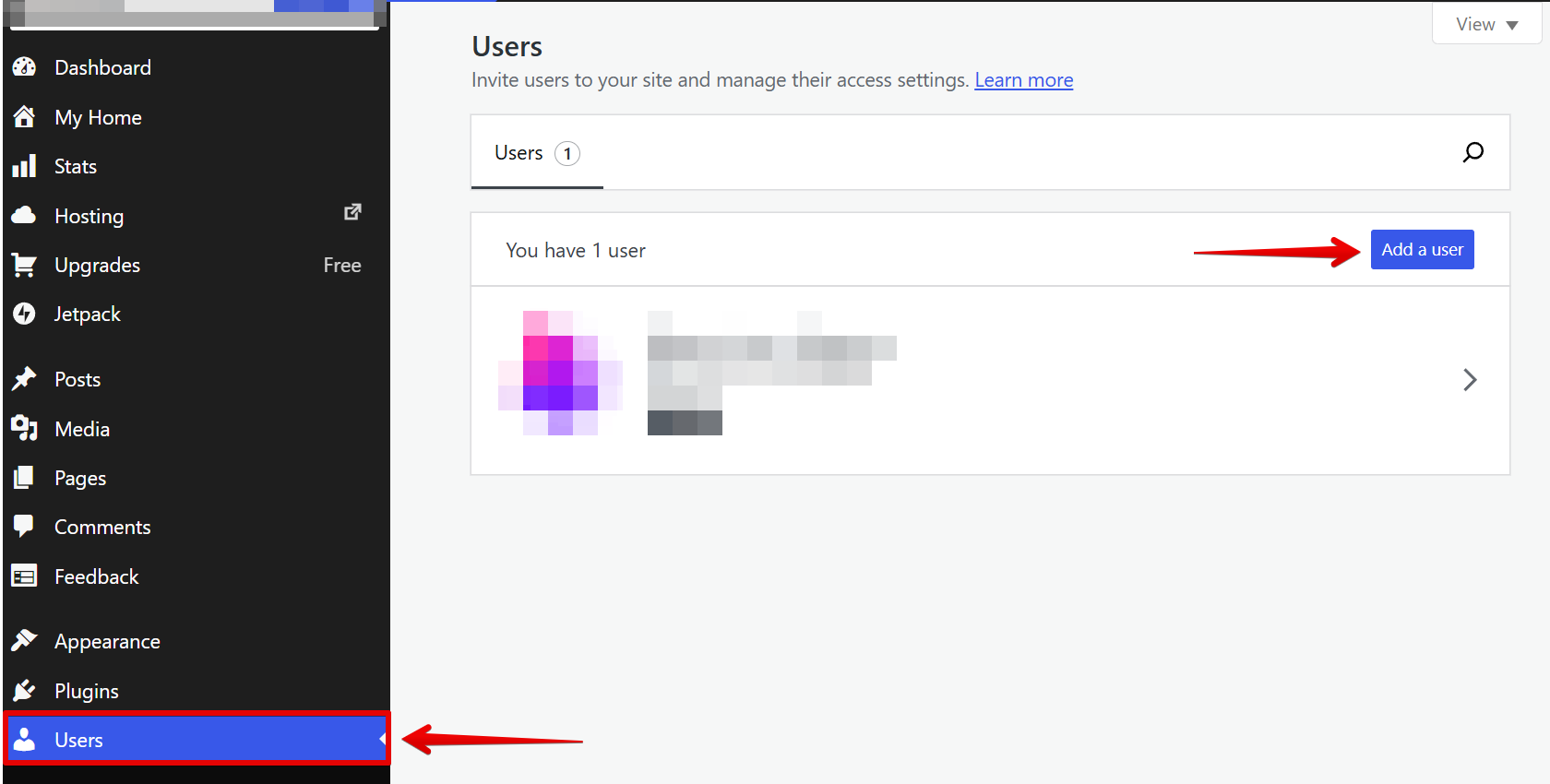
Log in to your WordPress admin panel, go to the Users section, and click Add a user:
- 2
-
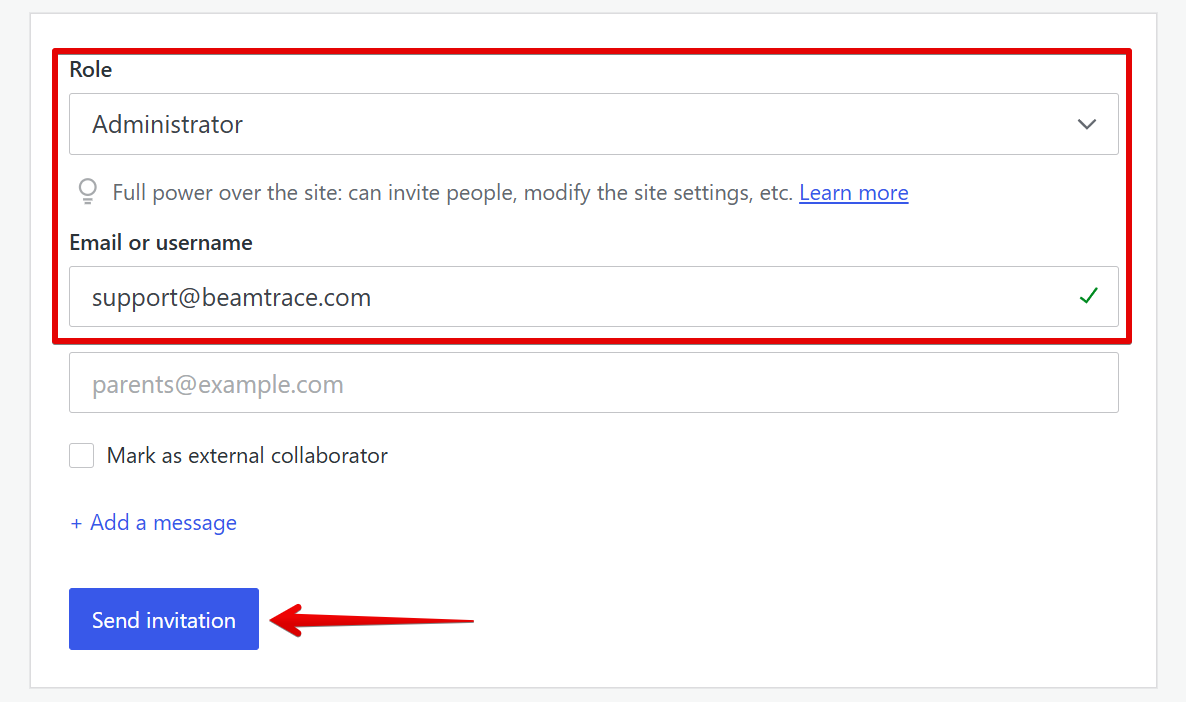
Within Add a user, fill in the following user information:
- Role: Administrator
- Email or username: [email protected]
Then, click Send invitation:
That's it! 🙌 The user with the [email protected] email has been added.
Removing Beamtrace User
When you no longer require our help, you're free to revoke access. You can do this following the steps below:
- 1
-
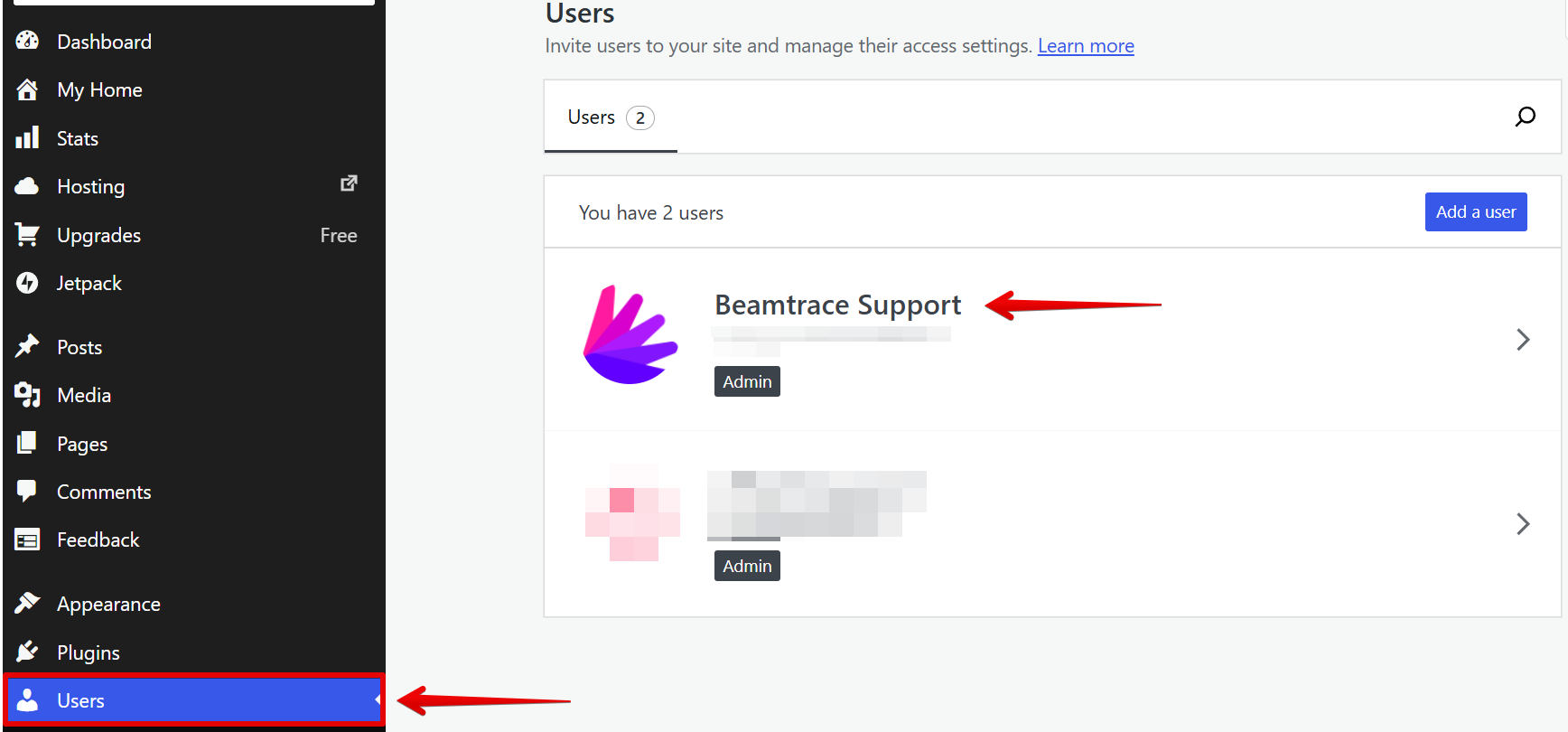
Go to Users and click on Beamtrace Support:
- 2
-
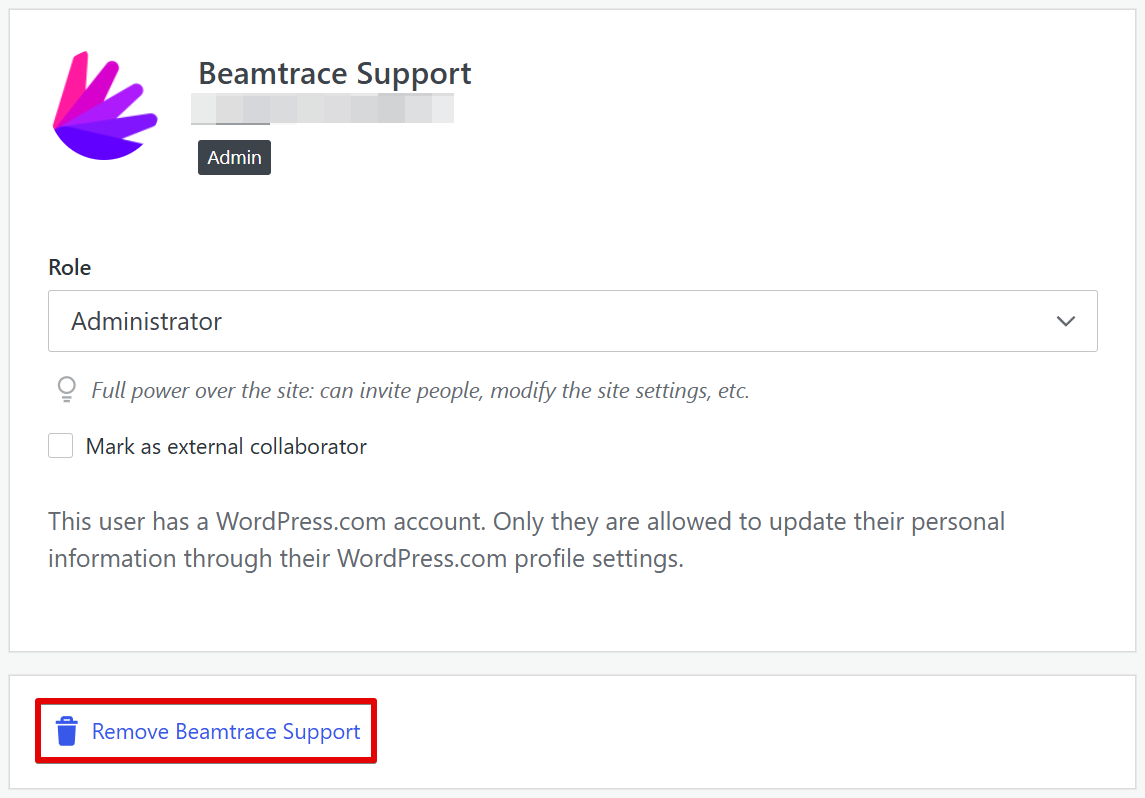
Click Remove Beamtrace Support:
Done! The Beamtrace user has been removed.
If you run into any issues or need a hand at any step, feel free to reach out to our support team at [email protected] — we’re always happy to help! 😊